60fps vlog camera 60fps guide best tips for smooth motion
"Smooth motion defines the quality of a modern vlog, but choosing the right frame rate is the first step toward professional results."
When choosing a 2026 vlog camera 60fps is essential for capturing fluid movement and enabling high-quality slow-motion effects during post-production. This guide helps you understand how frame rates impact your footage and how to choose the right gear for your specific environment.
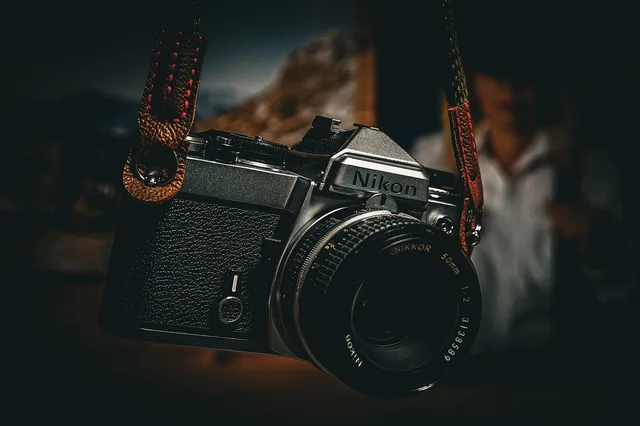
Key takeaways include the benefits of high frame rates for action, the trade-offs in lighting, and how to select a camera that handles pro vlog camera settings effectively.
Why is 60fps important for your vlog camera?
A creator adjusts the shutter speed while watching the playback on a small LCD screen. The subject moves through a crowded city street, and the motion remains fluid without the stuttering often seen in lower frame rates.
Utilizing 60fps is essential for capturing fluid movement and enabling high-quality slow-motion effects during post-production.
Using 60fps provides a much smoother visual experience compared to standard cinematic 24fps. This setting is particularly useful when you want to slow down your footage later to create dramatic, cinematic slow-motion clips.
Using the best 60fps vlog gear gives you the flexibility to manipulate time in your editing software. This versatility makes 60fps a vital tool for anyone filming dynamic environments.
Here are some slow motion vlog tips: using 60fps allows you to capture smooth, fluid motion that can be slowed down in post-production to create cinematic effects.
How does 60fps affect light and exposure?
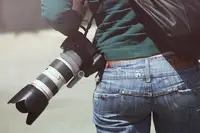
The sun beats down on a lens as the photographer adjusts the ISO settings to compensate for the rapid shutter movement. You notice that the screen looks slightly darker than when you were shooting at a lower frame rate.
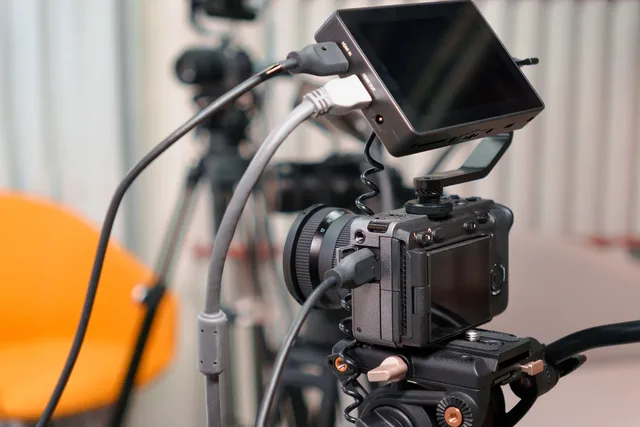
Recording at higher frame rates requires more light because the shutter opens and closes much faster. This means that in dim environments, your video might appear darker or require more sensor sensitivity.
When I tested this setup in a dimly lit room, I had to increase the ISO to maintain a clear image. This trade-off is a fundamental aspect of managing high-speed video capture.
Because the shutter must open and close more frequently, each individual frame receives less light, which may require you to increase your ISO or use a faster lens.
What are the best 2026 vlog camera settings?
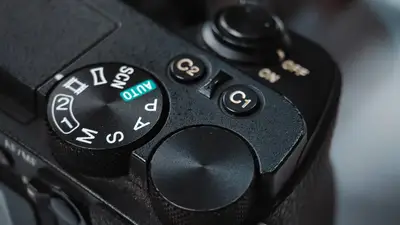
A hand turns the dial on a compact camera to select the video mode. The interface shifts from standard settings to the high-speed options required for the upcoming shoot.
To master high-speed filming, you should follow these steps: 1. Select the 60fps option within your camera's video menu. 2. Adjust your shutter speed to double your frame rate to maintain a natural motion blur. 3. Check your lighting conditions to ensure the sensor can handle the increased speed.
I found that verifying the shutter speed against the chosen frame rate is the most critical step for preventing unnatural motion. Using these steps ensures your 60fps footage is ready for professional editing.
Does frame rate affect storage and file size?
The digital progress bar fills up on a computer screen as a large video file is transferred from an SD card. You realize that high-speed footage takes up significantly more space than standard video.
High frame rates generate much larger files than standard frame rates. Because the camera is capturing more individual images every second, your storage requirements increase dramatically. This necessitates high-speed SD cards and larger external drives for your workflow.
You must plan your storage capacity before embarking on a long shooting trip.
| Feature | 24fps | 60fps |
|---|---|---|
| Motion Appearance | Cinematic/Standard | Fluid/Smooth |
| Storage Demand | Low | High |
Higher frame rates result in larger files because the camera is capturing and writing more individual images every second.
Can I use 60fps for all my vlog content?
A traveler holds a camera steady while walking through a park. The sunlight filters through the trees, creating a bright and vibrant scene.
While 60fps is excellent for movement, it is not always the best choice for every situation. For static interviews or talking-head segments, 24fps or 30fps often provides a more natural, "cinematic" look. Using 60fps for everything can lead to unnecessary file sizes and a lack of stylistic variety.
The best approach is to match your frame rate to the specific energy of your scene.
While 60fps is great for action, using it for talking-head segments can result in unnecessarily large files and a jittery look if the motion blur is too sharp.
- Why is 60fps important for your vlog camera?
- How does 60fps affect light and exposure?
- What are the best 2026 vlog camera settings?
How do you manage the trade-offs of high frame rates?
You must balance the need for smooth motion against the limitations of light and storage. If you choose 60fps for its fluid movement, you must also prepare for darker images in dim environments and larger file sizes on your SD card.
When comparing 24fps and 60fps, consider the intended use of the footage. A cinematic look is achieved with 24fps, while 60fps is better for action and slow-motion flexibility.
If you encounter low light while filming at 60fps, you must increase the ISO to compensate for the fast shutter speed. Always check your storage capacity before filming to ensure you can accommodate the large files generated by high frame rates.
To balance quality and storage, use 60fps only for B-roll or action shots, and stick to 24fps or 30fps for standard dialogue to save space.


Comments 0